Caregiver Dashboard Manual
Your command center for tracking well-being and managing daily care.
Table of Contents
1. Dashboard Overview
The dashboard is designed to give you a "healthy at a glance" view. It is divided into three main areas:
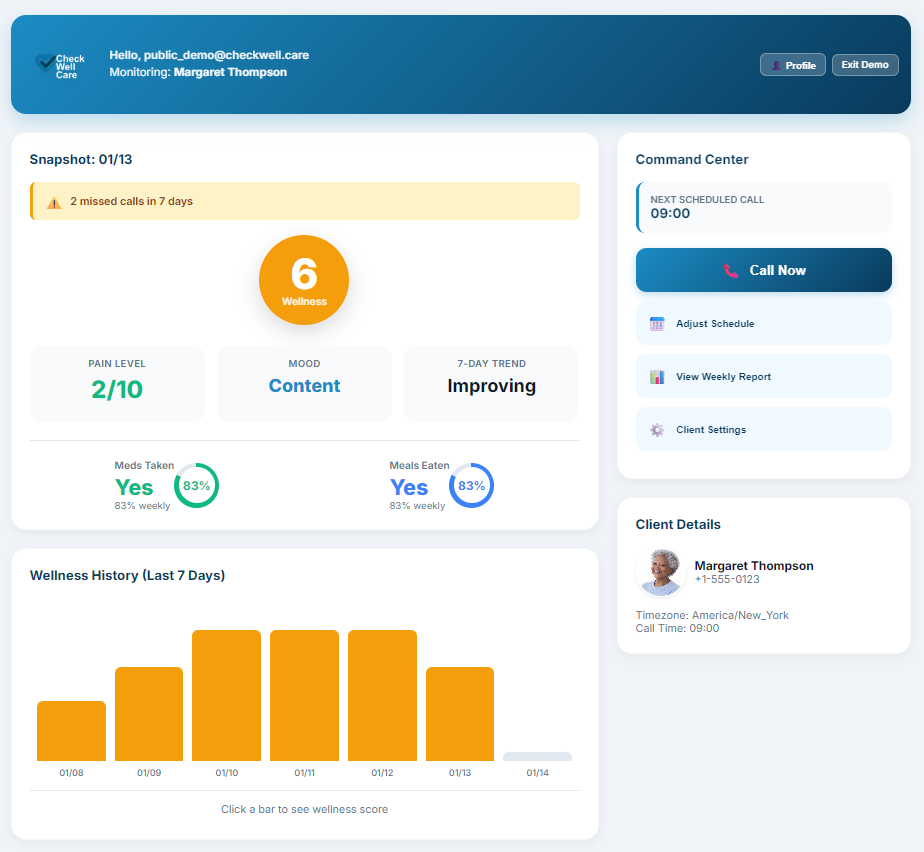
- Daily Snapshot (Left): The most important health metrics for today.
- Activity Feed (Bottom Left): A list of recent calls, notes, and recordings.
- Command Center (Right): Buttons to take action, schedule calls, or view reports.
2. Understanding Metrics
Daily Snapshot Cards
At the top left, you will see the core health indicators:
Wellness Score
A big circle showing a 1-10 score.
10 is excellent. 1-3 is
critical.
Pain Level
Self-reported pain from 0 (None) to 10 (Severe).
Mood
AI-detected emotional state (e.g., "Happy", "Anxious", "Tired").

Adherence Tracking
We track if daily routines are being followed with easy-to-read rings:

Note: The ring percentage (%) shows weekly consistency.
3. Command Center & Actions
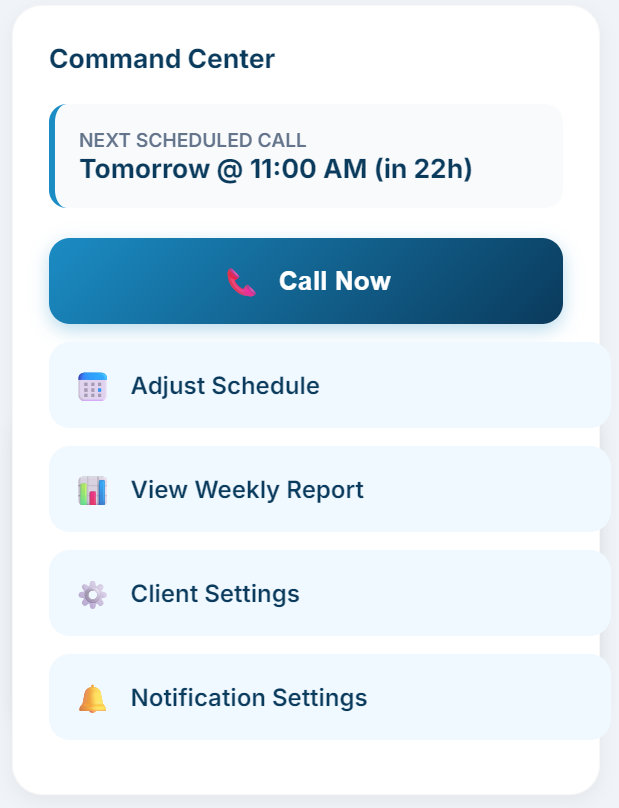
The right-hand sidebar allows you to control the system.
Forces the AI to call your loved one right now. Useful if you want to check on them outside of the schedule.
Update when the daily call happens. You can also pause calls here (e.g., if you are visiting).
See a summary of how they did over the last 7 days.
Update phone numbers, names, or timezones.
Control email and SMS preferences for calls and alerts.
4. View Recordings & Full History
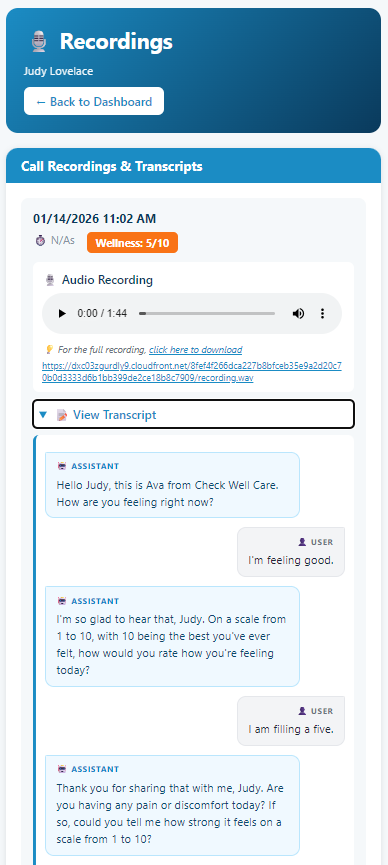
Access detailed call logs and audio recordings directly from the dashboard.

View Recordings
Listen to past wellness checks and read transcripts.
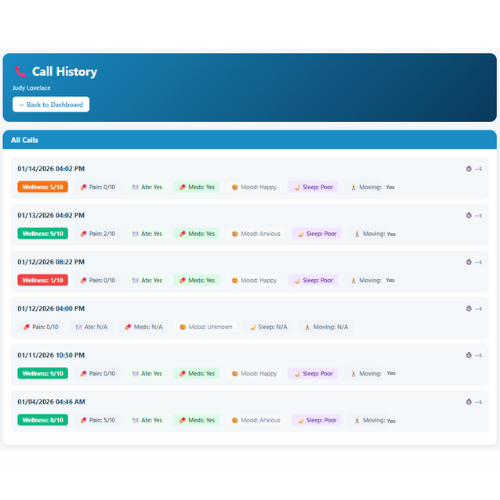
View Full History
See a complete log of all interactions and status updates.
5. Icon & Color Guide
Status Colors
Common Icons
Action Required
(No Answer)
6. Feature Tiers
Your features depend on your subscription plan:
| Feature | Essential | Plus (Popular) | MaxCare |
|---|---|---|---|
| Daily Check-ins | 1 / day | 2 / day | 4 / day |
| Family Members | Up to 3 | Up to 10 | Unlimited |
| SMS Alerts | ❌ | ✅ Included | ✅ Included |
| Call Recordings | Basic | ✅ Full Access | ✅ Full Access |
| Advanced Analytics | Limited | ✅ Mood & Trends | ✅ Custom + API |